You're paying for more than you think. ManageSubs shows you exactly how much — fast.
Sound familiar?
A free trial quietly converted to paid. You meant to cancel weeks ago.
That app from January still charges you. You haven't opened it since.
You think you spend $80. Your statement says $147.
An annual renewal hits. $119.99, out of nowhere.
ManageSubs fixes that
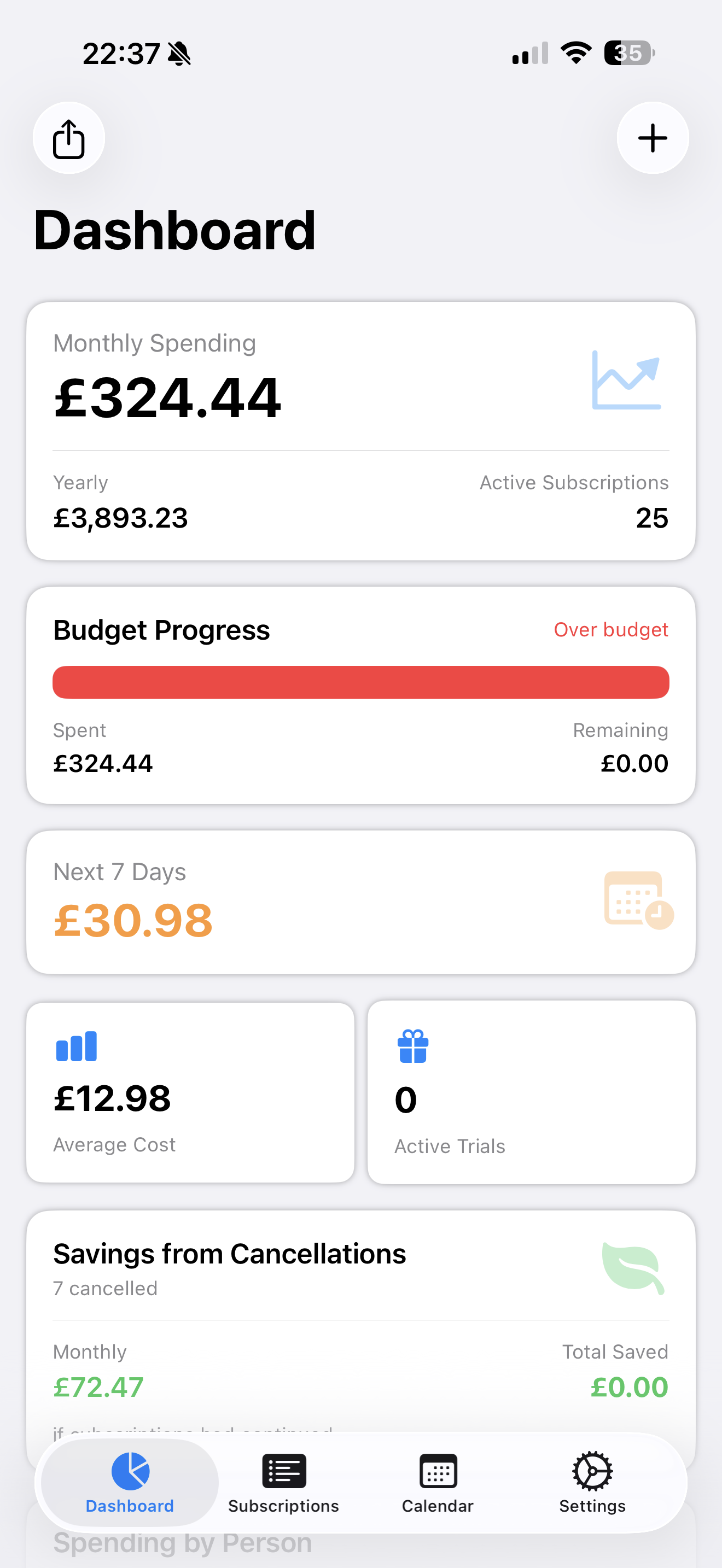
Spending by category and family member — see who's paying for what.
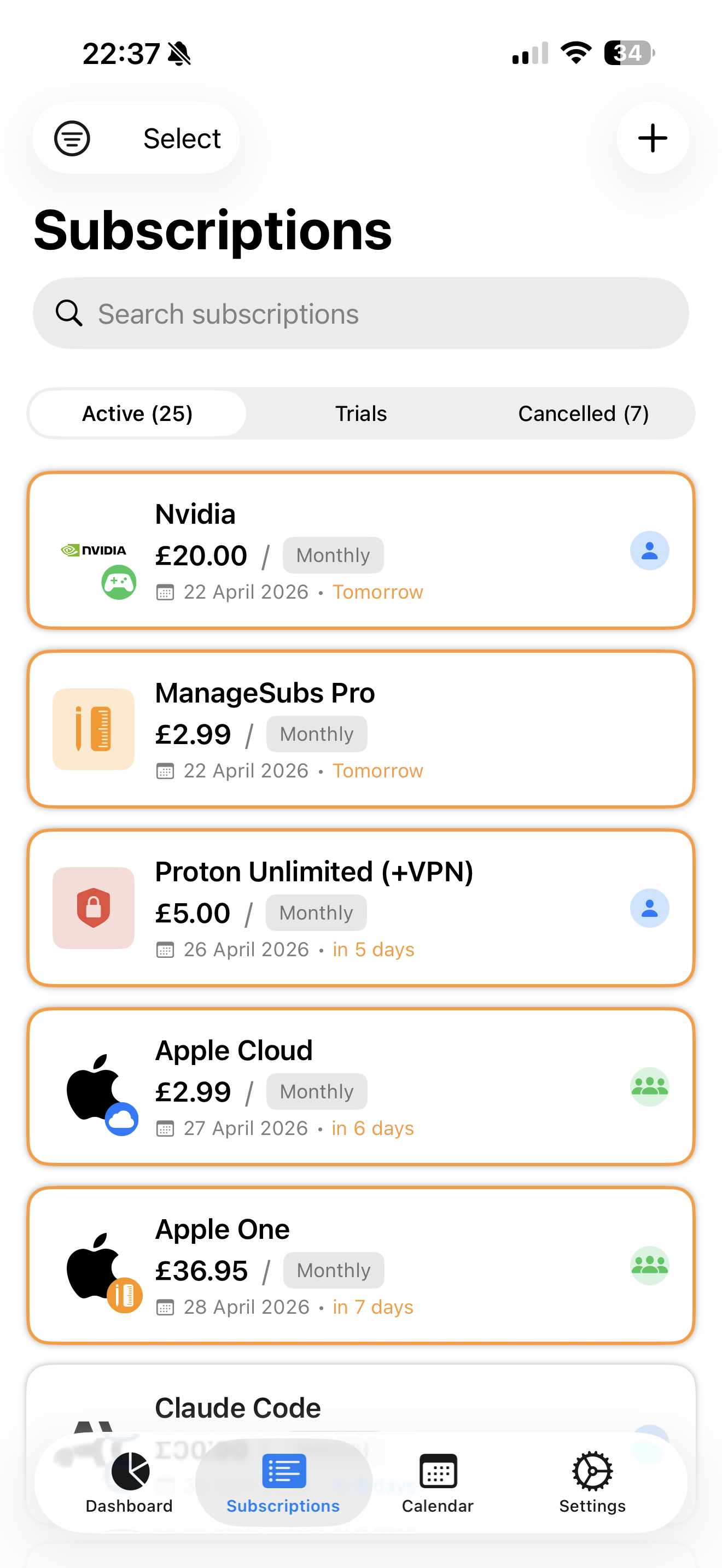
Every subscription in one clean, organized list.
A budget bar that's green under, red over. No spreadsheet.
Total spent + how long you've paid — for every service.
Features
Everything you need. Nothing you don't.
Budget Tracking
Set a budget. The bar fills green as renewals land, turns red if you go over.
Family Tracking
Assign each subscription to who actually uses it, and see spending per family member.
Member Since
See how long you've paid and the total spent — context for any cancel call.
Spending Trends
Interactive monthly charts. Month-over-month change, calculated for you.
Smart Categories
Entertainment, productivity, health, family — see where the money really goes.
Private by Design
No bank linking. No ads. No data selling. iCloud sync stays in Apple's ecosystem.
App preview
Built to be used, not just downloaded.
9:41
ManageSubs
November 2025
$187.40of $200 budget
vs October: $12.50 more
N
Netflix
Nov 18
$22.99
$15.49
Spotify
Nov 24
$10.99
Disney+
Dec 1
$13.99
iCloud+
Dec 3
$2.99
1Password
Dec 7
$2.99
Subs
Trends
Settings
9:41
Upcoming renewals
$187.40 / mo
N
Netflix
Nov 18 · in 2 days
$22.99
Spotify
Nov 24 · in 8 days
$10.99
This month
$187
of $200 budget
Next up
N
$22.99
Netflix · in 2 days
9:41
Back
Spotify Premium
Music & Podcasts · Monthly
MEMBER SINCE
Dec 2020
5 years, 6 months
TOTAL SPENT
$791.28
$10.99 / month
PRICE HISTORY
Dec 2020 – Oct 2023$9.99/mo
Nov 2023 – now$10.99/mo
Subs
Trends
Settings
9:41
Spending Trends
$187.40
November 2025 · $12.50 vs Oct
Jun
Jul
Aug
Sep
Oct
Nov
BREAKDOWN
Entertainment
$49.97
Productivity
$32.97
Health
$19.99
Other
$84.47
Subs
Trends
Settings
Budget Tracking
See you're getting close — before you go over.
Set a budget once. Green while you're under, red the moment you're not. No spreadsheet required.
Visual bar: green → yellow → red
Every renewal date, no surprises
Price increases flagged inline
Home Screen Widgets
Your subscriptions, at a glance.
Add a widget to your Home Screen and see what's renewing next and where your budget stands — without ever opening the app.
Upcoming renewals on your Home Screen
Monthly spend and budget, always visible
Three sizes: small, medium, large
Member Since
See the full picture before you cancel.
Every subscription shows your join date, total paid, and full price history — so you decide with the facts.
Exact join date for every service
Total lifetime spend, automatically
Complete price-change history
Spending Trends
Spot the creep before it compounds.
Interactive monthly charts show exactly where your money goes. Tap any month for the full breakdown.
Month-over-month, automatically
Category breakdown at a glance
Tap any month to inspect
On-device intelligence
AI that runs on your iPhone. Not in the cloud.
Powered by Apple's on-device Foundation Models — fast, works offline, and never sends your data to a server. Included free.
Add by voice or text
Say "Netflix, $15.99 monthly, renews the 15th" — the AI fills in the form for you.
AI Insights
One tap shows where your money goes, what's renewing, and where to cut back.
Private by default
Every AI feature runs locally. No AI cloud, no tracking, no data selling.
Why it works
The easiest money win is the one you can see.
Clarity changes behavior. Here's what tracking your subscriptions actually does.
Awareness is the first cut
Seeing every subscription in one list is usually enough to cancel one or two today. You can't trim what you can't see.
Small charges bleed quietly
A few dollars here, a forgotten trial there. Recurring charges are built to be ignored — which is why a tracker pays off.
Your money, your data
No bank access required. Everything stays on your device — the same clarity, without handing over your accounts.
FAQ
Questions, answered.
Does ManageSubs need access to my bank account?
No. ManageSubs never connects to your bank, card, or any financial institution. You add subscriptions yourself — by typing, dictating, or describing them to the on-device AI. Your accounts stay completely private.
Is my data private?
Yes. Everything stays on your device, with optional iCloud sync that keeps your data inside your own Apple account. There are no ads, no third-party tracking, and we never sell your data. Even the AI features run locally using Apple's on-device Foundation Models. See our Privacy Policy for details.
How do the AI features work?
You can add a subscription just by describing it — "Netflix, $15.99 monthly, renews on the 15th" — and the AI fills in the form for you. AI Insights analyzes your subscriptions to show where your money goes and where you could cut back. Both run entirely on your iPhone using Apple's Foundation Models, so nothing is sent to a server. AI features require iOS 26 or later.
Will it remind me before subscriptions renew or change price?
Yes. ManageSubs shows upcoming renewal dates and alerts you when a service raises its price — with the old price, new price, and the annual impact — so you can decide whether to keep it before you're charged the new rate.
What iOS version do I need?
ManageSubs runs on iPhone with iOS 26 or later. The AI-powered features rely on Apple's on-device intelligence, which is available on iOS 26 and supported devices.
How much does it cost?
ManageSubs is free to download and start using — no account required. You can begin tracking subscriptions in a few minutes.
Can I use it in my language?
ManageSubs is fully localized in 9 languages: English, German, Spanish, French, Italian, Dutch, Brazilian Portuguese, Japanese, and Korean.
Get ManageSubs
Stop leaking money. Start in 5 minutes.
Add your subscriptions once. ManageSubs watches the rest.